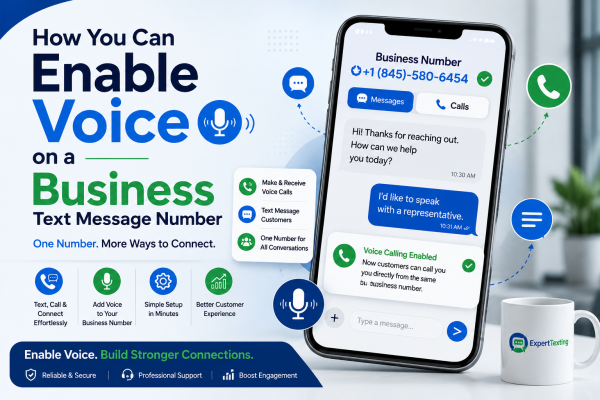
How You Can Enable Voice on a Business Text Message Number
You picked a number for your business, set it up to send texts, and things have been going well. Then a customer calls that same number expecting to reach you, and nothing happens. The line just doesn’t ring.
This is one of the most common gaps business owners run into once they start using a business text message number seriously. Texting handles a lot, but sometimes a customer wants to talk, and if your number can’t take calls, you’re sending them somewhere else to do it.
It happens more often than most owners expect. A customer sees a text confirmation, glances at the number, and taps to call back with a quick question instead of typing out a reply. When that call doesn’t go through, it’s not just a missed conversation; it’s a small crack in how reliable your business looks.
The good news is you don’t need a second phone line or a separate number to fix this. Most texting platforms let you add voice calling to the same number you already text from, so customers can call or text one line and reach the same business either way. This guide walks through how that works, why it matters, and what to watch for when you set it up.
Why a Business Text Message Number Needs Voice Too
A business text message number that can only text puts you in an odd spot. Someone sees your number on a receipt, a website, or a text you sent them, and they assume they can call it if they’d rather talk. When the call fails or goes nowhere, it looks unprofessional, even if the texting side of your business works fine.
Adding voice to that same number closes the gap. Customers get a choice. Some prefer texting because it’s quick and doesn’t interrupt their day. Others want to hear a real voice, especially for anything that feels urgent or complicated, like booking an appointment or asking about a return.
A few reasons this matters more than it might seem at first:
- Customers don’t want to remember two different numbers for one business
- A missed call from a curious customer is a missed sale
- Voicemail on the same number keeps you from losing messages when you can’t answer
- It builds trust, since a number that only texts can feel less legitimate to some customers
Running both text and voice from a single business text message number also makes your marketing simpler. You promote one number everywhere, on your website, receipts, signage, and social media, without confusing customers about which number does what.
How Voice Calling Actually Works on a Texting Number
Most business texting numbers fall into a few categories, and understanding which one you have matters before you try to enable voice.
Toll-free numbers usually support voice fairly easily since they were built with calling in mind from the start. Adding texting to a toll-free number, or voice to one already used for texting, is often a quick setup through your provider’s dashboard.
Local numbers with 10DLC registration can also support voice, but the process depends on your provider. Some platforms bundle voice in automatically, while others require you to request it or pay for an add-on.
Short codes, the five or six-digit numbers used for high-volume text message campaigns, typically don’t support two-way voice calling. If your business relies on a short code, you’ll likely need a separate number for calls.
Once you know your number type, enabling voice generally follows a similar pattern across most mass texting service providers:
- Log into your texting platform’s dashboard
- Find the number management or settings section
- Look for a voice or calling option next to your number
- Turn it on and follow any verification steps required
- Set up call forwarding, voicemail, or an auto attendant if the platform offers it
- Test the number by calling it from a different phone
The exact steps vary by provider, so check their support documentation if you don’t see an obvious voice toggle. Some platforms make this a one-click process, while others route you through a short approval step, especially for local numbers going through carrier registration.
It helps to understand why some numbers take longer than others. Local numbers used for business texting typically go through a registration process with carriers, known as 10DLC registration, to confirm the number belongs to a legitimate business and isn’t being used for spam. Voice activation on these numbers sometimes gets tied to that same review process, which is why it can take longer than flipping a simple switch. Toll-free numbers usually skip most of this since they’ve long been associated with business use, which is part of why voice tends to activate faster on them.
If your provider asks for additional business verification before turning on voice, that’s a normal part of the process rather than a red flag. Carriers want to confirm real businesses are behind these numbers, which ultimately protects your deliverability on both the texting and calling side.
Setting Up Call Handling Once Voice Is Active
Turning on voice is only half the job. You also need to decide what happens when someone actually calls.
Forward Calls to Your Cell or Office Line
The simplest setup forwards incoming calls straight to a phone you already answer, like your cell or a front desk line. This works well for small businesses where one or two people handle customer calls directly.
Set Up Voicemail
If you can’t always answer, voicemail keeps you from losing the call entirely. Record a short, clear greeting that tells callers what to expect and when you’ll get back to them. A voicemail tied to your business text message number also lets you follow up with a text right after, which many customers appreciate.
Use an Auto Attendant for Bigger Teams
Larger businesses or those with multiple departments sometimes set up an auto attendant, the “press 1 for sales, press 2 for support” system. This routes calls without needing a live person to answer every single one.
Combine Voice With Automated Texts
Some platforms let you send an automatic text if a call goes unanswered, something like “Sorry we missed you, reply here, and we’ll get back to you shortly.” This keeps the conversation going even if nobody picked up the phone.
Real World Example: Adding Voice to a Texting Number
A local plumbing company had been running a mass texting service for appointment reminders and promotions for about a year. Customers loved getting a text instead of a phone call for routine reminders, but the company noticed something odd in their reviews. A few customers mentioned trying to call the number on a text they’d received, only to find it didn’t work for calls.
The company enabled voice on their existing business text message number and set it to forward directly to their dispatch line during business hours, with voicemail kicking in after hours. Within a few weeks, they noticed fewer confused customers and a small but steady stream of calls coming from people who had first heard from them through text and later decided they wanted to talk before booking a service.
Another example comes from a boutique fitness studio that used text message campaign tools to fill last-minute class openings. They kept getting calls from people asking about membership pricing, calls their texting-only number couldn’t take. After adding voice, they set up a short auto attendant menu directing pricing questions to the front desk and class questions to a text back option. The mix of both channels on one number made the whole operation feel more organized to customers calling in.
A third example worth mentioning comes from a small moving company that relied almost entirely on text for scheduling. Their customers were often juggling a lot during a move and preferred texting for confirming dates, but a portion of new leads coming from online ads wanted to call first and ask about pricing before committing to anything in writing. The company added voice to their existing number, set calls to forward to their office during the day and to voicemail after hours, and started closing more of those inbound leads simply because callers no longer had to hunt for a separate phone number buried on the website.
Texting Only vs Text and Voice on the Same Number
Business owners sometimes wonder if it’s worth the extra setup to add voice at all. Here’s a simple breakdown of the tradeoffs.
| Feature | Text Only Number | Text and Voice Number |
| Handles appointment reminders | Yes | Yes |
| Takes incoming phone calls | No | Yes |
| Supports voicemail | No | Yes |
| Customer convenience | Limited to texting | Higher, gives customers a choice |
| Setup complexity | Simple | Slightly more steps |
| Best for | Pure marketing blasts | Businesses that need both channels |
For a business that only sends promotional messages and never expects a reply call, a text-only number might be fine. For nearly everyone else, especially service businesses, retail stores, and anyone booking appointments, having both text and voice on one number removes friction customers shouldn’t have to deal with.
Tips for a Smooth Setup
Getting voice working the first time correctly saves you from confused customers later. Keep these tips in mind as you go through the process.
- Check with your provider whether voice is included in your plan or requires an upgrade before you start
- Test the number yourself from a personal phone before promoting it to customers
- Update your website, business listings, and any printed materials once voice is active so customers know they can call
- Record a professional voicemail greeting rather than leaving the default system message
- Make sure your team knows how to answer calls coming through the new setup, especially if it’s forwarded from a different system than usual
If you’re not confident handling the technical setup yourself, most reputable mass texting service providers offer support to walk you through it, and it’s worth asking before you get stuck troubleshooting alone.
It’s also worth setting a reminder to check your voicemail and missed call log regularly during the first few weeks after activation. New setups sometimes have small kinks, like a forwarding rule pointed at the wrong phone or a voicemail box that was never fully configured. Catching these early keeps a real customer from falling through the cracks while you’re still getting used to the new setup.
Where Business Industry Guides Come In
Every business handles calls a little differently, which is why generic instructions only go so far. Business industry guides built for specific fields, like healthcare, home services, or retail, often include call handling recommendations that fit how those businesses actually operate.
A dental office and a landscaping company don’t need the same call setup, even if they’re both adding voice to a business text message number. Business industry guides can point you toward the right structure for your specific situation instead of leaving you to figure it out through trial and error.
Building a Mass Text Message Marketing Strategy That Includes Voice
Once voice is active, it’s worth thinking about how it fits into your bigger mass text message marketing strategy rather than treating it as a separate feature bolted on afterward.
For example, an SMS blast announcing a sale can end with a line like “Call us with questions” now that the number actually supports it. A text message campaign reminding customers about an appointment can include a tap-to-call option, letting people confirm or reschedule with a quick phone call instead of typing out a reply.
This kind of blending, where texting drives awareness and voice handles anything that needs a real conversation, tends to convert better than relying on just one channel. Customers pick whichever method fits the moment, and your business doesn’t lose them either way.
Think about a seasonal SMS blast promoting a limited-time offer. Most recipients will read it and either act or ignore it, but a small percentage will have a question first, maybe about sizing, availability, or how to redeem the deal in person. Without voice enabled, those people either give up or dig around for a different number to call. With voice active on the same line, they can just tap the number and ask, which often turns a hesitant customer into a completed sale on the spot.
Service businesses see a similar pattern with appointment-based texts. A reminder sent through a text message campaign might prompt someone to call back and ask if they can move their time slot, rather than replying with a text and waiting for a response. Voice gives that customer a faster path to resolving a scheduling conflict, which usually means fewer no-shows and fewer missed appointments overall.
Getting Help If You Get Stuck
Not every provider makes voice setup obvious, and carrier registration steps for local numbers can occasionally slow things down. If you hit a wall, reach out to your platform’s support team rather than guessing your way through it, since a misconfigured setting can lead to dropped calls or missed voicemails without you realizing it right away.
Expert Texting helps businesses set up both texting and voice on the same number without the usual back and forth, so you’re not stuck piecing together instructions from three different help articles. Whether you’re just getting started with a business text message number or adding voice to one you’ve used for a while, having a platform that explains the process clearly makes a real difference.
What to Look for in a Provider That Supports Both
Not every texting platform treats voice as an afterthought, but some clearly do. If you’re choosing a provider from scratch, or thinking about switching, a few things separate the platforms worth using from the ones that will frustrate you later.
- Clear pricing on voice minutes. Some providers bundle a set number of minutes into your plan, while others charge per minute. Know which one you’re getting before you commit.
- Simple call routing options. You shouldn’t need a developer to set up call forwarding or a basic auto attendant. Look for a dashboard that lets you configure this yourself.
- Reliable uptime. A dropped call during business hours costs you a customer. Check reviews or ask the provider directly about their call reliability record.
- Combined reporting. The best platforms show you texting and calling activity in one place, so you’re not logging into two systems to understand how customers are reaching you.
- Support that understands both channels. If something breaks, you want a support team that knows texting and voice equally well, not one that treats calling as a bolt-on feature they barely support.
Taking the time to compare providers on these points up front saves you from a messy migration later, especially once your customer list and call history start piling up on a single platform.
Final Thoughts
Adding voice to a texting number isn’t complicated once you know which type of number you have and what your provider offers. The bigger shift is in how your business shows up to customers, one number that texts and talks instead of two separate systems people have to keep straight.
If you’ve been running a text message campaign for a while and keep hearing from customers who tried calling and couldn’t get through, that’s usually a sign it’s time to turn voice on. Expert Texting can help you get there without a complicated setup, so your number works the way customers already expect.
Frequently Asked Questions
1. Can I add voice to a number I’ve already been using for texting?
In most cases, yes. Providers that support both channels usually let you enable voice on an existing business text message number through your account settings, without needing a new number.
2. Does adding voice cost extra?
It depends on your provider and plan. Some include voice at no additional cost, while others charge a small add-on fee. Check your provider’s pricing details before assuming either way.
3. Will enabling voice affect my existing text message campaign?
No, texting and calling operate as separate features on the same number. Turning on voice doesn’t change how your scheduled texts or automated messages work.
4. What happens if I don’t answer a call to my business number?
If you’ve set up voicemail, the caller can leave a message. Some platforms also let you trigger an automatic text reply to unanswered calls, so the customer still hears from you.
5. Can a short code support voice calling?
Generally no. Short codes are built for high-volume text message campaigns, not two-way calling. If you use a short code, you’ll likely need a separate number for voice.
6. How long does it take to activate voice on a business number?
For toll-free numbers, activation is often immediate or takes just a few minutes. Local numbers going through carrier registration can take longer, sometimes a day or two, depending on your provider.
About the Author

Sign up for free